FreightExchange automatically stores all of the address details from your shipments. You also have the ability to add, edit your company, warehouse, customer, store and 3PL addresses manually where needed.
Step by Step Guide
To create a new address book entry:
- Navigate to Settings > Address Book.
- Click "+Add New"
- Add business name, full address, contact person's name and phone number, location type and opening hours
- Update the tail lift and other special instructions
- Click Save
Uploading Addresses
If you need to upload your addresses in bulk, you can add them to the spreadsheet below. All fields must be entered correctly. Once you have populated the template; email it through to ops@freightexchange.com.au and we will load it into FreightExchange for you.
Step by Step Guide in Pictures
To create a new address book entry:
Navigate to Settings > Addresses.
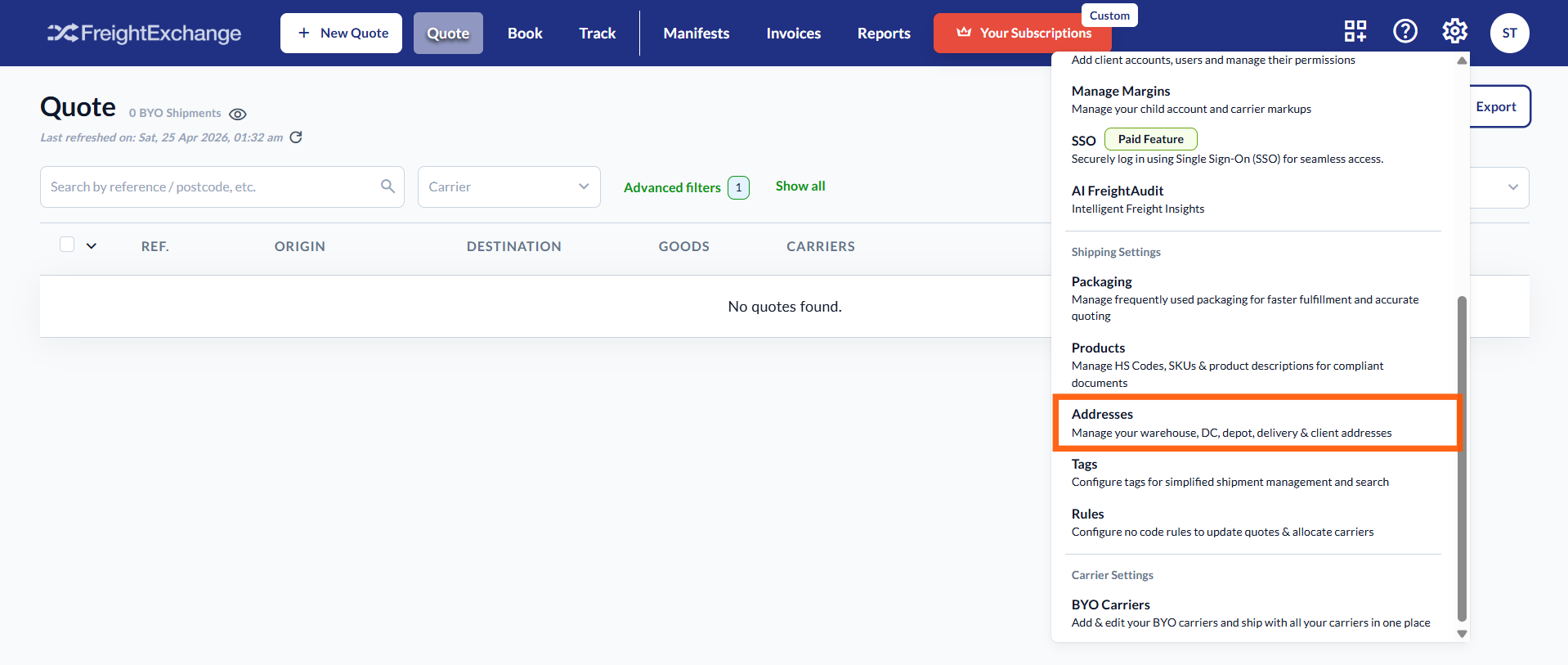
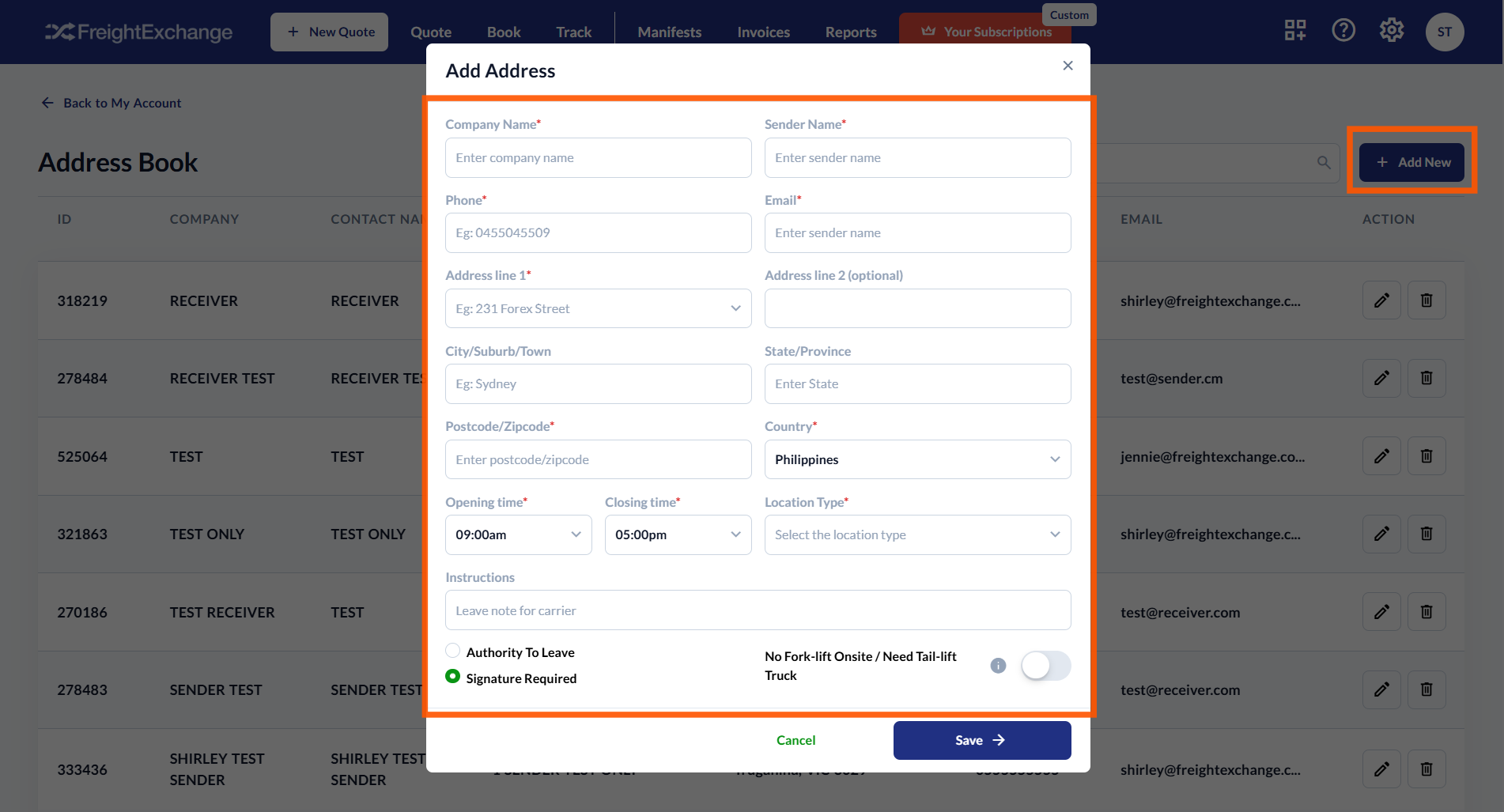
The Address Book settings page will be displayed. Click + Add New.
Enter the customer details, including business name, full address, contact person’s name and phone number, location type, and premises hours.
You can also set default notes, tailgate requests, and approve Authority to Leave (ATL) requests for this contact.
Click Save to confirm.

Was this article helpful?
That’s Great!
Thank you for your feedback
Sorry! We couldn't be helpful
Thank you for your feedback
Feedback sent
We appreciate your effort and will try to fix the article