FreightExchange gives you the ability to add your packaging settings to manage frequently used packages for faster order fulfilment and accurate quoting.
Step by Step Guide
To add a new packaging:
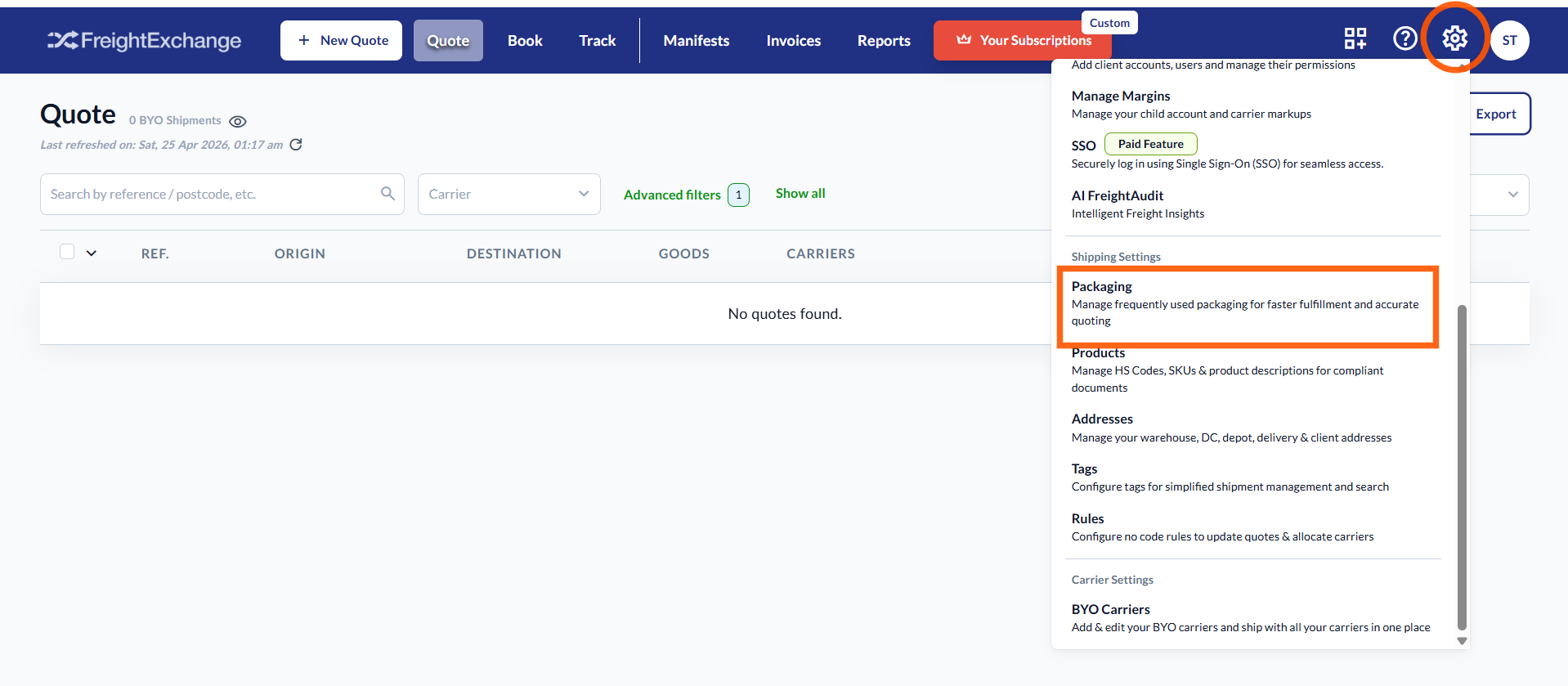
- Navigate to Settings > Packaging.
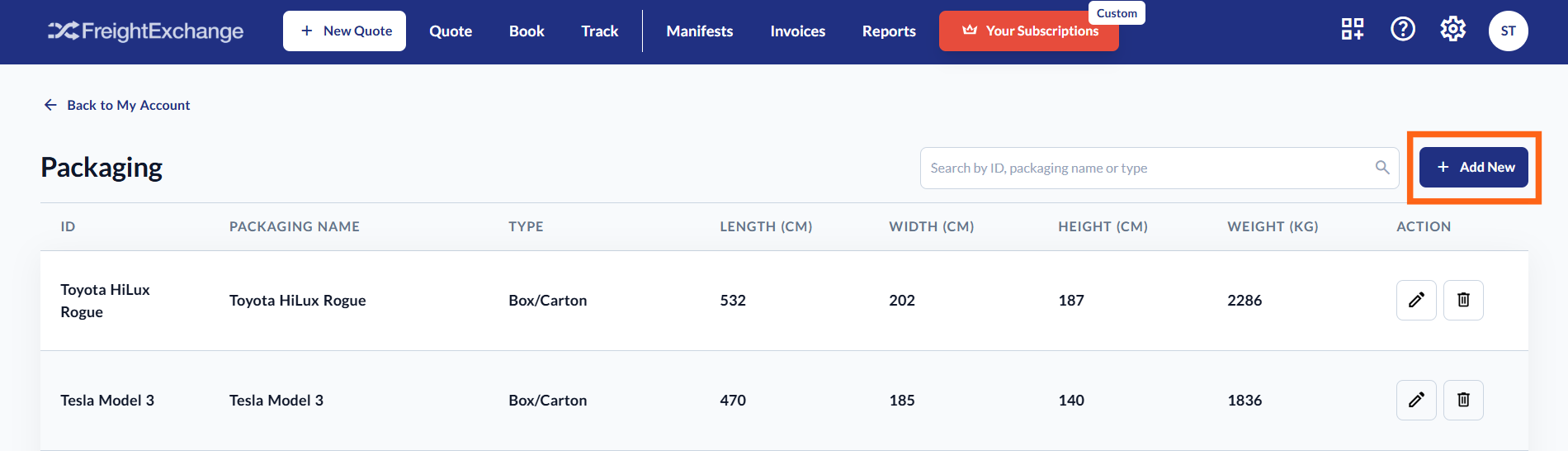
- Click on the "+Add New" button.
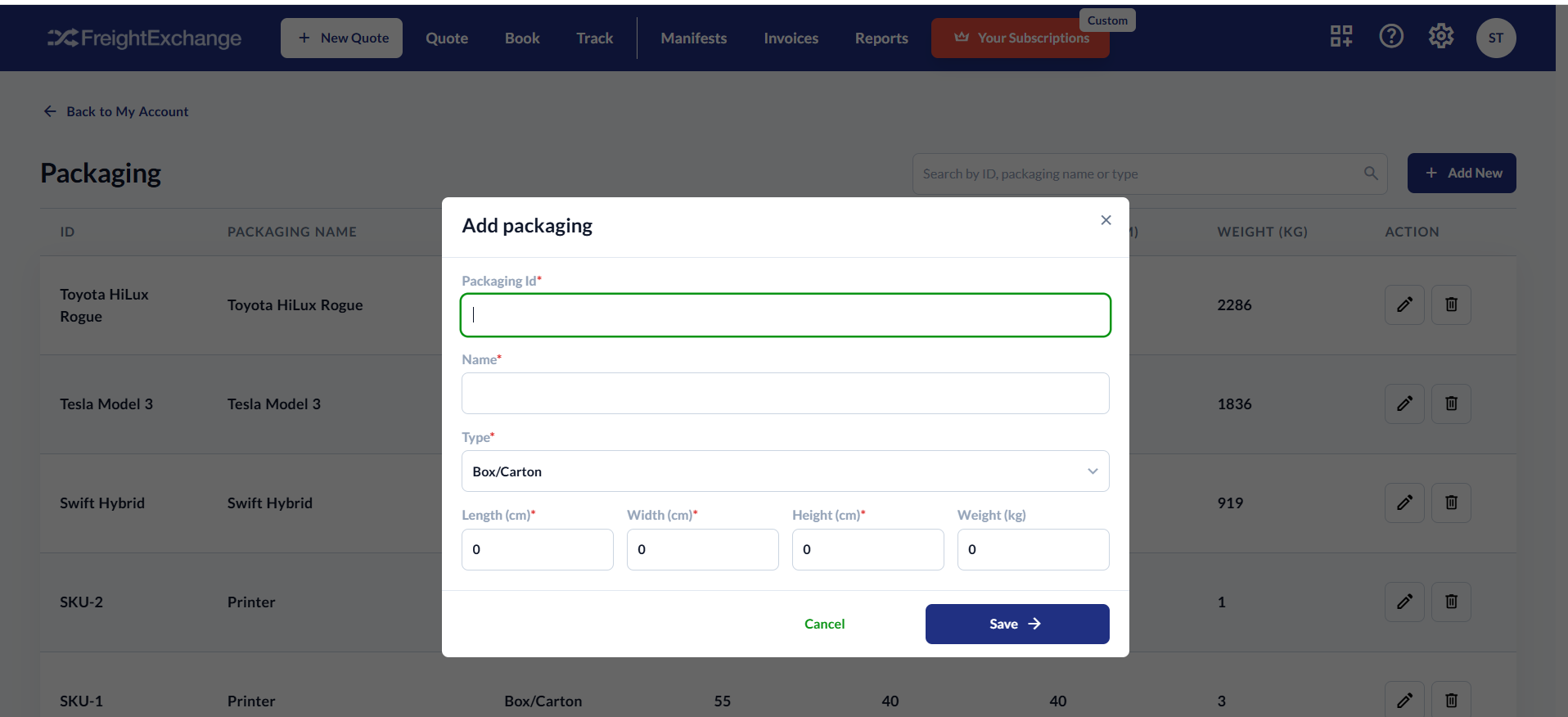
- Enter the packaging details
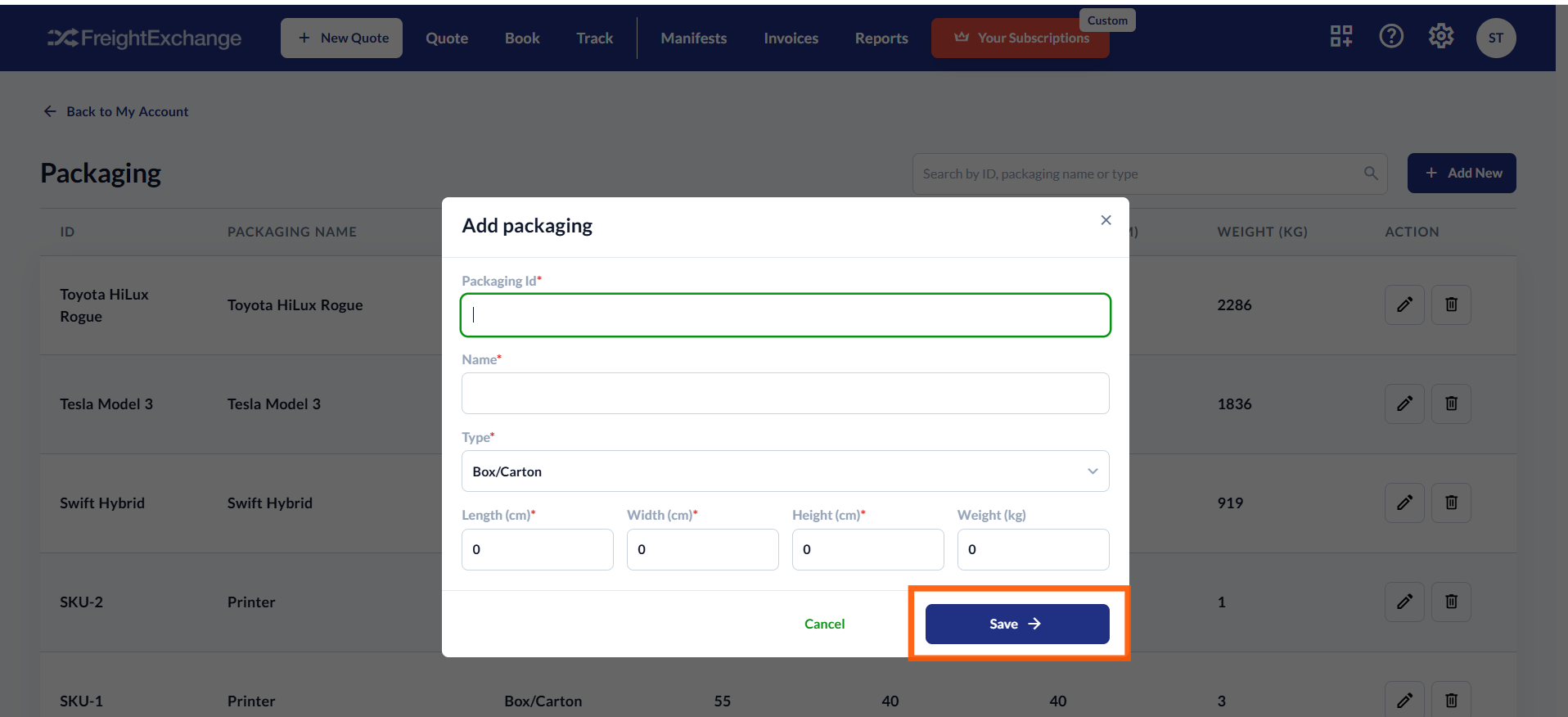
- Click Save to confirm.
Please send your product SKU list and packaging details to sales@freightexchange.com.au, and our team will upload it for you.
Shopify stores
You’ll need to populate your packaging list in your FreightExchange account.
WooCommerce stores
You don’t need to manually set up a packaging list, as the plugin will automatically map this information from your store.
Step by Step Guide in Pictures
To add a new packaging:
1. Click on the settings cog in the top right-hand corner of the screen.
2. Choose Packaging.
The Packaging settings page will be displayed. Click on the "+Add New" button.
Enter the packaging details. This includes the packaging ID, name, type, dimensions and weight.
Click Save to confirm.

Was this article helpful?
That’s Great!
Thank you for your feedback
Sorry! We couldn't be helpful
Thank you for your feedback
Feedback sent
We appreciate your effort and will try to fix the article