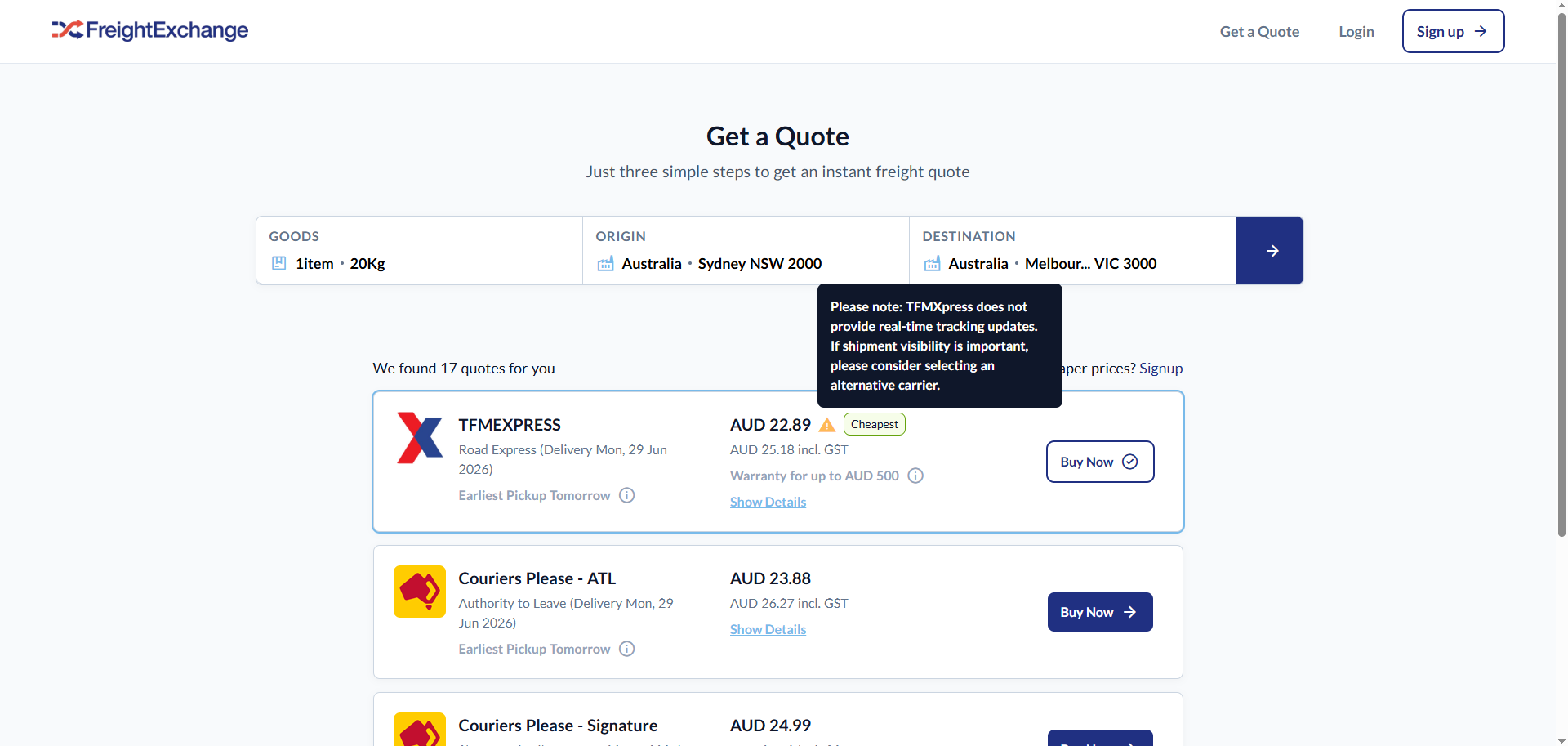
We want to proactively set and manage customer expectations. Whenever a customer is presented with carrier options on our platform, we try to provide them with a clear warning notification that will be displayed on the user interface (UI). This aims to reduce support tickets and increase customer satisfaction by being completely transparent about our carriers' known limitations and challenges and empowering our customers to make informed decisions when making their bookings.
Step by Step Guide
To update or create a carrier message that will appear on the UI, please follow the following steps:
- Login to Retool.
- Search for LIVE/Update Carrier Messages app.
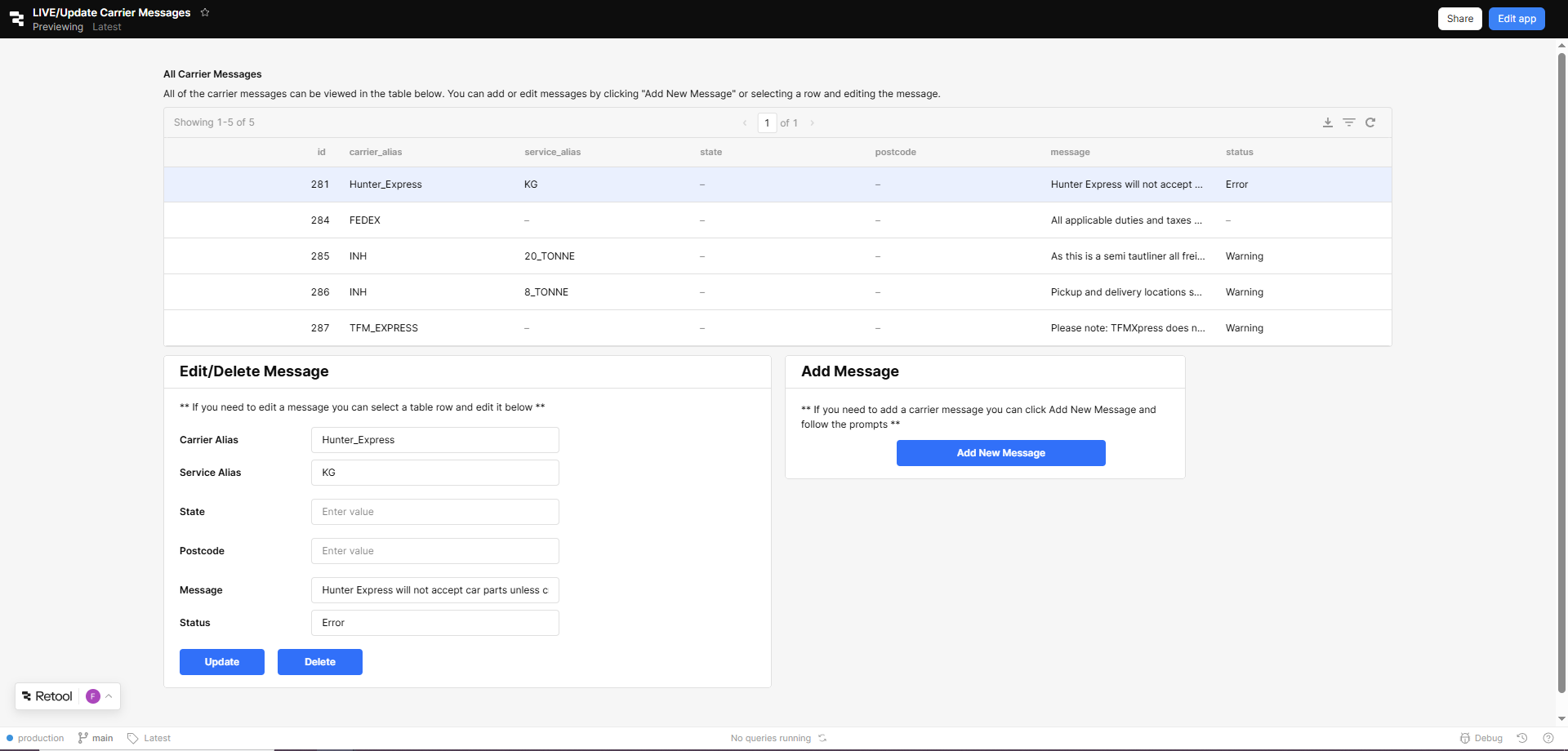
- Choose your action to perform:
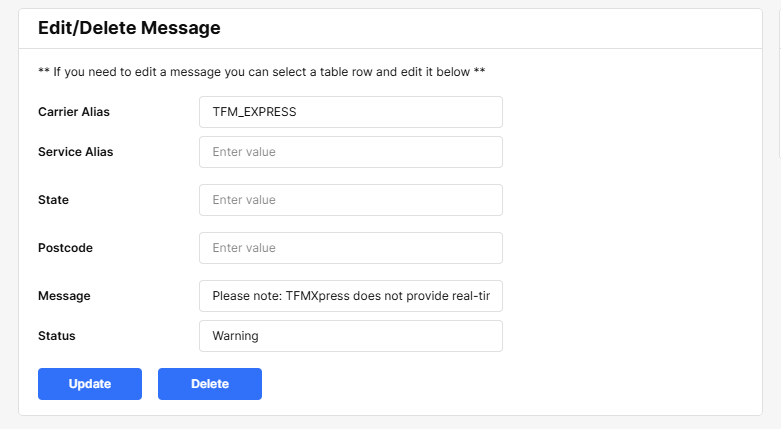
- To update existing message for a carrier, select from the carrier message list to view its properties and update accordingly.
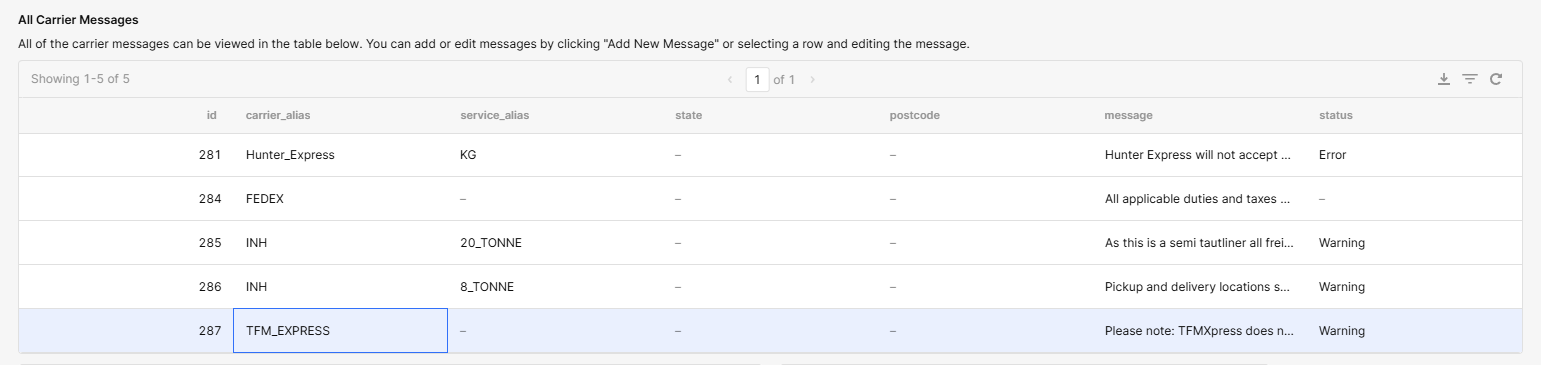
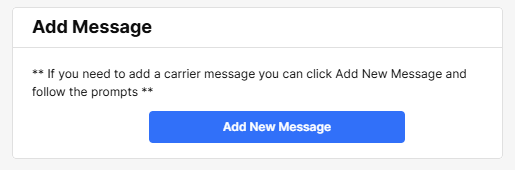
- To create a new carrier message, click the Add Message button to setup the message properties.
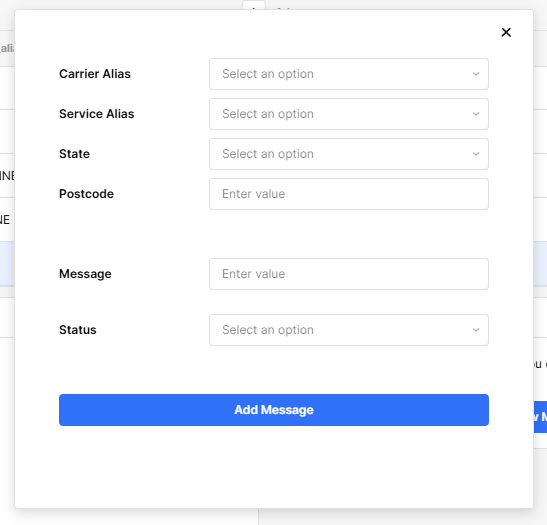
- To update existing message for a carrier, select from the carrier message list to view its properties and update accordingly.
Sample output:
Was this article helpful?
That’s Great!
Thank you for your feedback
Sorry! We couldn't be helpful
Thank you for your feedback
Feedback sent
We appreciate your effort and will try to fix the article