- Search for the booking in V1.
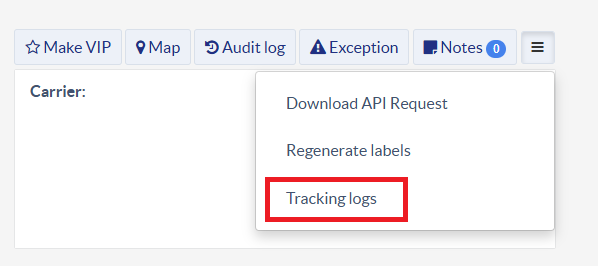
- Open the booking and click Tracking logs.
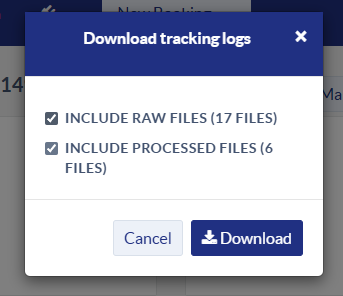
- Download everything.
- Send the files to the customer as attachments to the email response.
Sample FD ticket:
Was this article helpful?
That’s Great!
Thank you for your feedback
Sorry! We couldn't be helpful
Thank you for your feedback
Feedback sent
We appreciate your effort and will try to fix the article