- Search for the booking in V1.
- Open the booking.
- Click CTRL+F, type the reference that Komatsu needs removed from the consignment.
The reference found will be highlighted from the load details. (sample load shown below. The reference Komatsu will provide is the one on the shipper/case number column)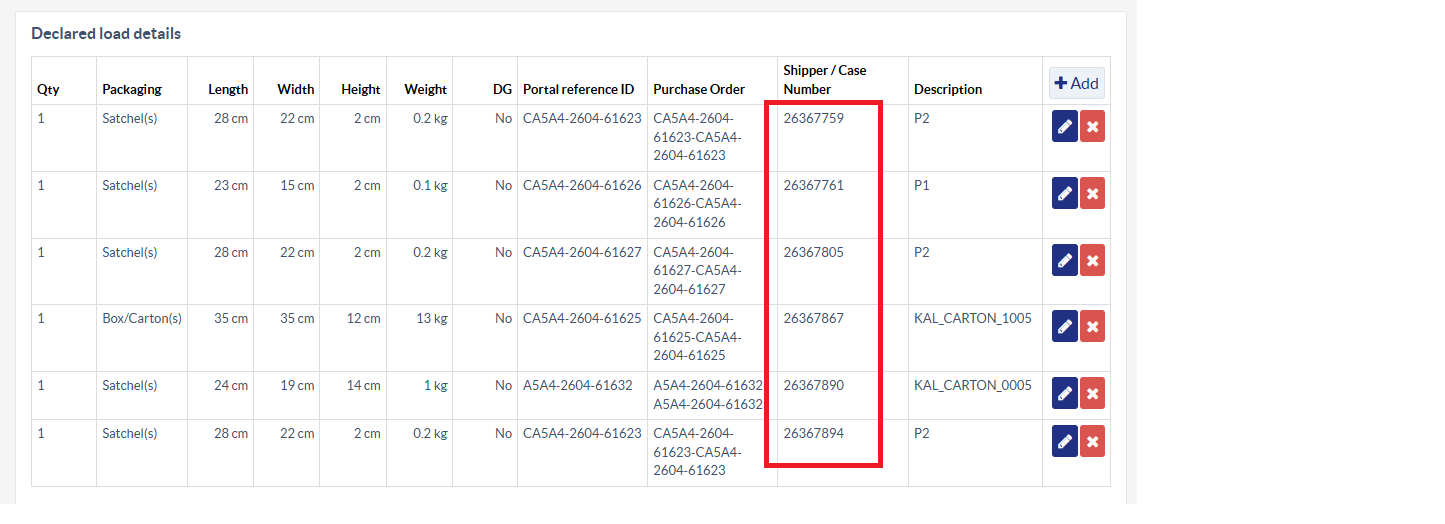
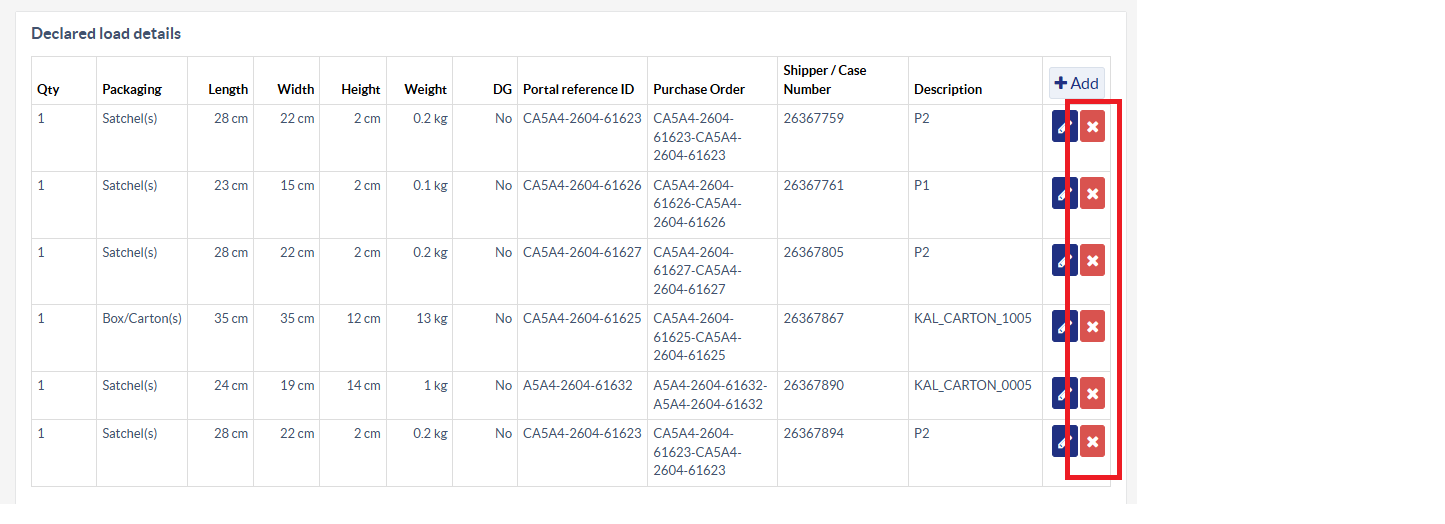
- Delete the load by clicking the X button for it.
- Find the shipping label associated with the same reference and delete it.
The number of load and the shipping label should match.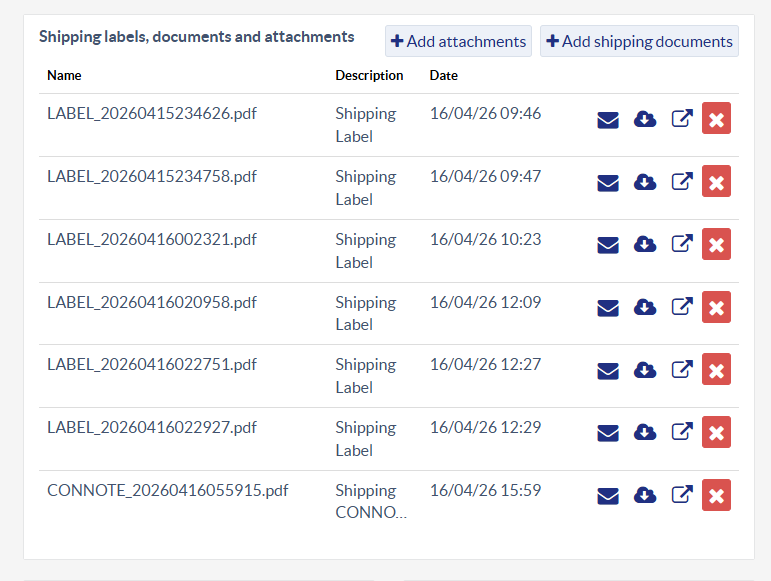
- Reply to customer to confirm action taken.
sample FD tickets:
Was this article helpful?
That’s Great!
Thank you for your feedback
Sorry! We couldn't be helpful
Thank you for your feedback
Feedback sent
We appreciate your effort and will try to fix the article