FreightExchange gives you the ability to use optional sign-in method for all users on your account.
This process ensures seamless authentication and secure access management.
Step by Step Guide
To login using SSO:
- Navigate to the Login page.
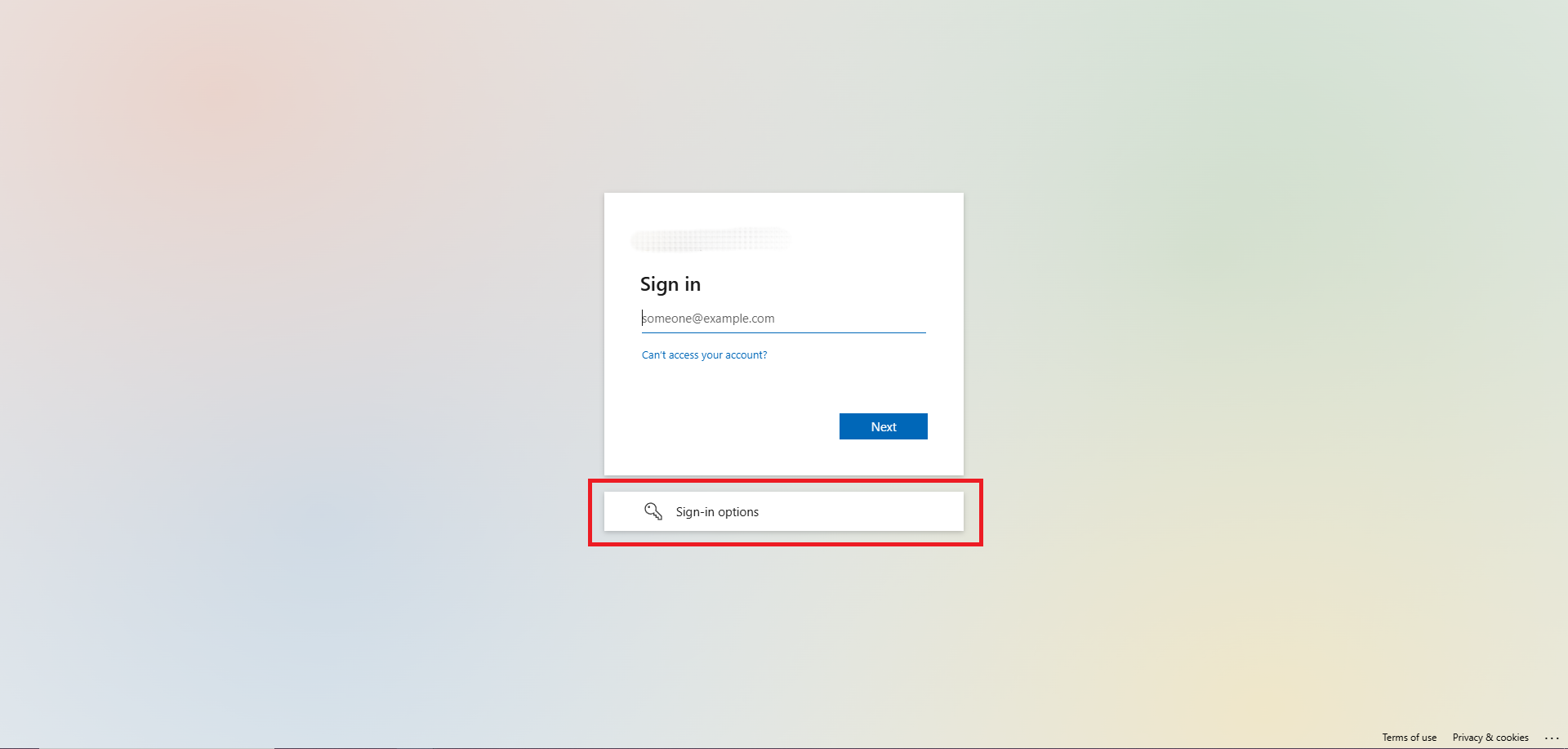
- Click the "Sign-in options".
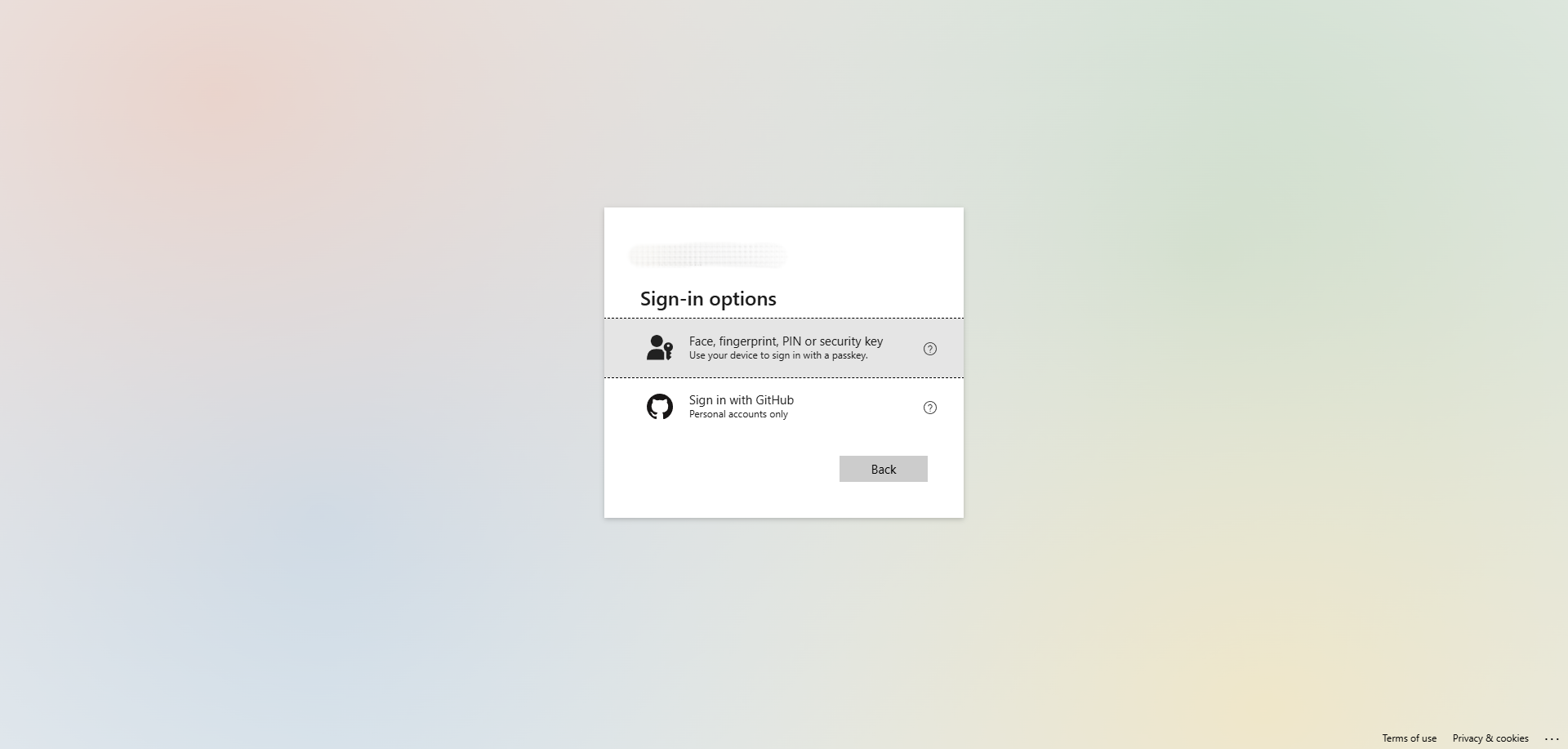
- Select from the options available.
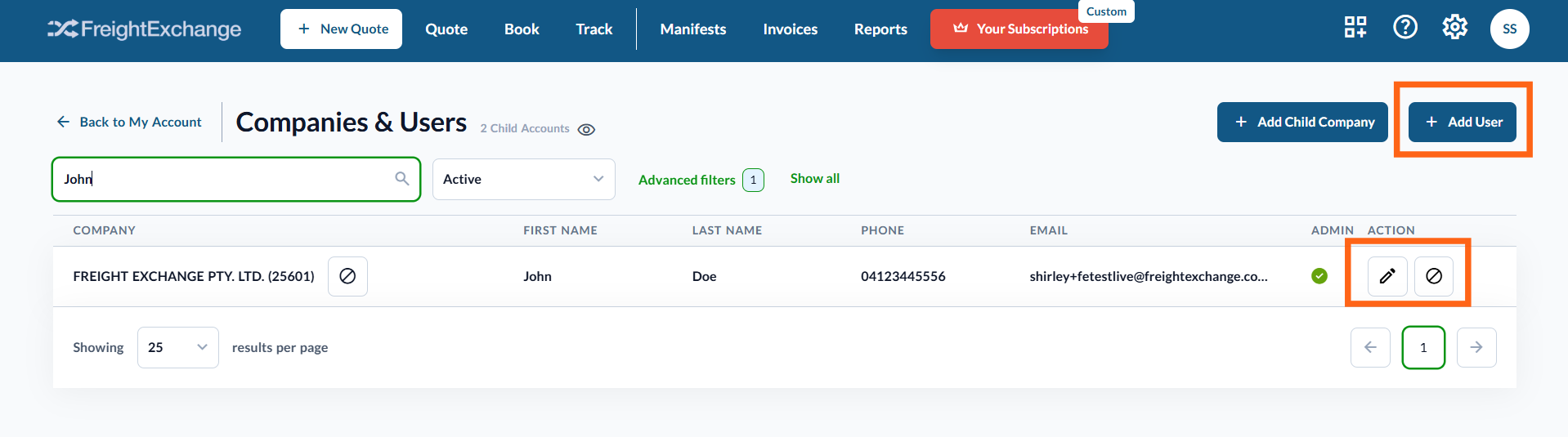
Note: You can add users or update the email ID of existing users on the platform.
Step by Step Guide in Pictures
To login using SSO:
1. Navigate to the Login page.
2. Click the "Sign-in options".
 3. Select from the options available.
You can add users or update the email ID of existing users on the platform.

Was this article helpful?
That’s Great!
Thank you for your feedback
Sorry! We couldn't be helpful
Thank you for your feedback
Feedback sent
We appreciate your effort and will try to fix the article