One of the key features of FreightExchange is the ability for customers to bring their own carrier accounts to the platform. This enables them to compare these prices with FreightExchange's prices for every shipment.
This document describes the steps required to connect your Allied Express accounts to FreightExchange.
TABLE OF CONTENTS
Part 1: Get your Allied Express API Key
Login to your Allied Express account or contact your account manager to get the following details:
- Your Account Code and State
- Your Account Prefix, the first 3 letters and numbers of your consignments or dockets
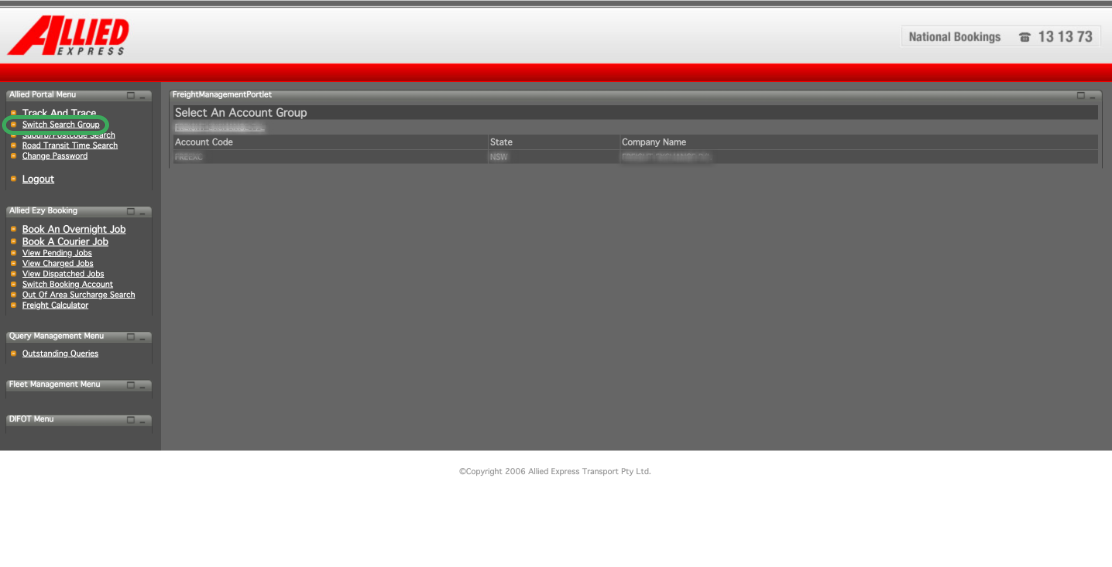
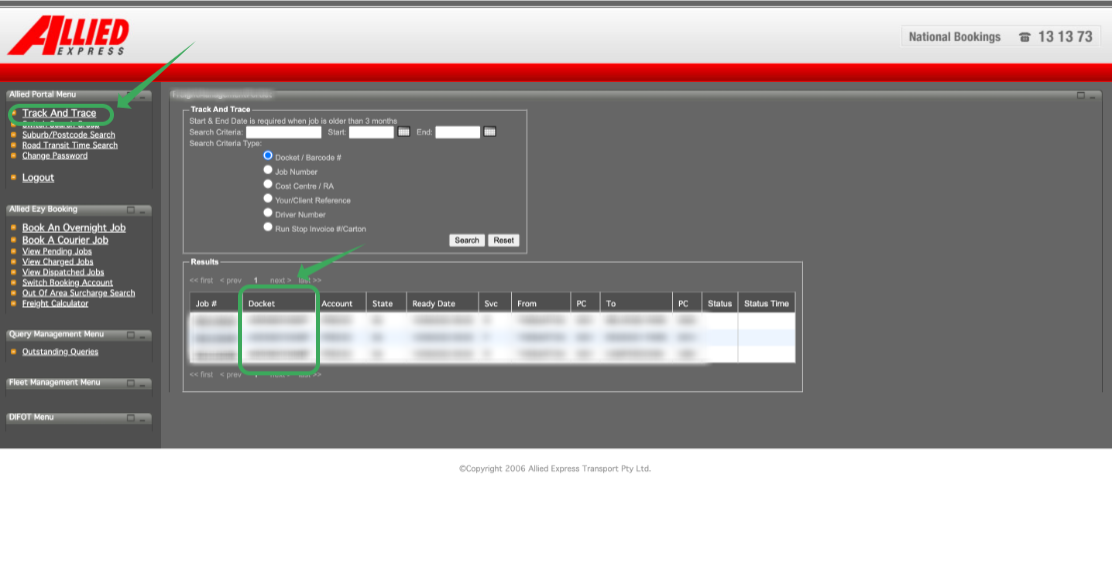
You will also need the following information:
- You account managers email and phone number
- Your carrier contract and/or terms and conditions including:
- Your rates and services
- The carrier zone chart
- Services and service restrictions
- Additional fees and charges
Send the following email to your account manager.
Dear Allied Express account manager,
I am setting up an integration in the FreightExchange system and would like to request that you share with me the details listed below:
| Account Code | 6 digit code |
| Account Prefix | 3 digit code |
| Suffix Length | 3 |
| Default Length | 9 |
| Prefix Length | 3 |
| Allied Rep | xx@alliedexpress.com.au |
| Customer | Your company name |
| System | FreightExchange |
| Est Start Date | The start date for the integration |
Part 2: Set-up your Carrier Account
Follow the instructions on our How To Connect Your BYO Carrier Accounts help article.
Once all the above steps are done, you can proceed to book your shipments without your rates being loaded.
If you prefer to upload your own rates, you can upload your rate card directly into your FreightExchange account.
See Manage BYO Carrier Zones, Transit Times, & Rate Cards
Need help with setup?
If you’d like assistance configuring your carrier account or uploading rate cards, our team can help with the setup on your behalf. Please note this is available as a one-time configuration service (fee applies).
Was this article helpful?
That’s Great!
Thank you for your feedback
Sorry! We couldn't be helpful
Thank you for your feedback
Feedback sent
We appreciate your effort and will try to fix the article